In the custom furniture, retail, and interior design industries, creating an accurate Bill of Materials (BoM) is one of the most critical, yet tedious, steps in the entire production process
Translating complex design requirements, dimensions, finishes, and hardware into production-ready line items usually takes hours of manual data entry. Worse, a single missed component or wrong quantity can lead to costly manufacturing delays, incorrect ordering, and margin loss.
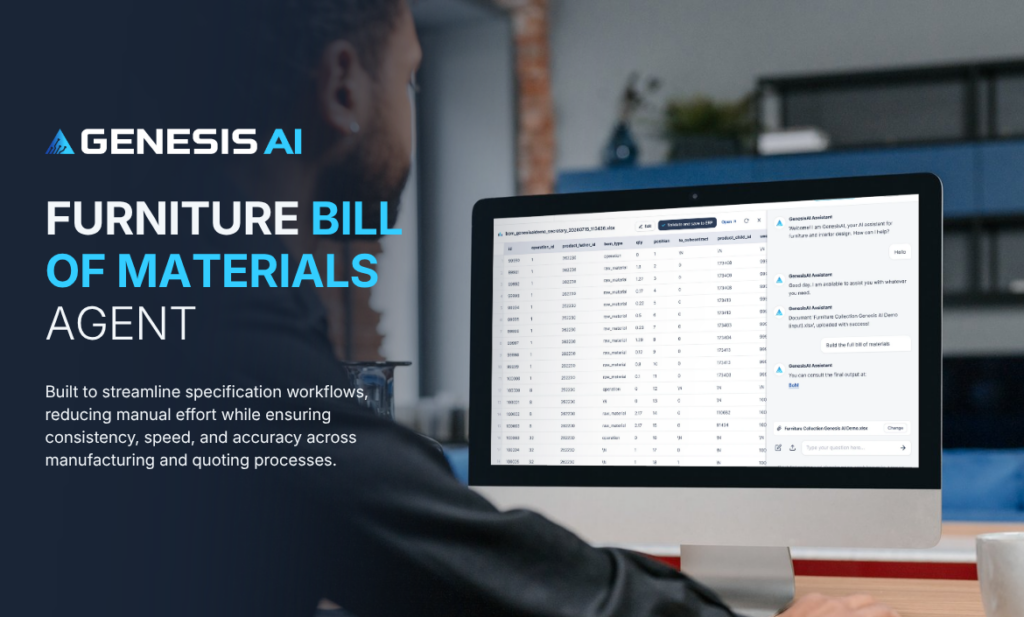
To solve this, we created the Genesis AI Furniture Bill of Materials Agent. Designed specifically for furniture manufacturers, interior designers, and sales teams, this AI agent automatically transforms design documents and specifications into fully structured, ERP-ready BoMs in seconds.
How the Furniture BoM Agent Works
Here is a quick look at how seamless the workflow is inside the Genesis AI platform:
Step 1: Generate the Full BoM with a Simple Prompt
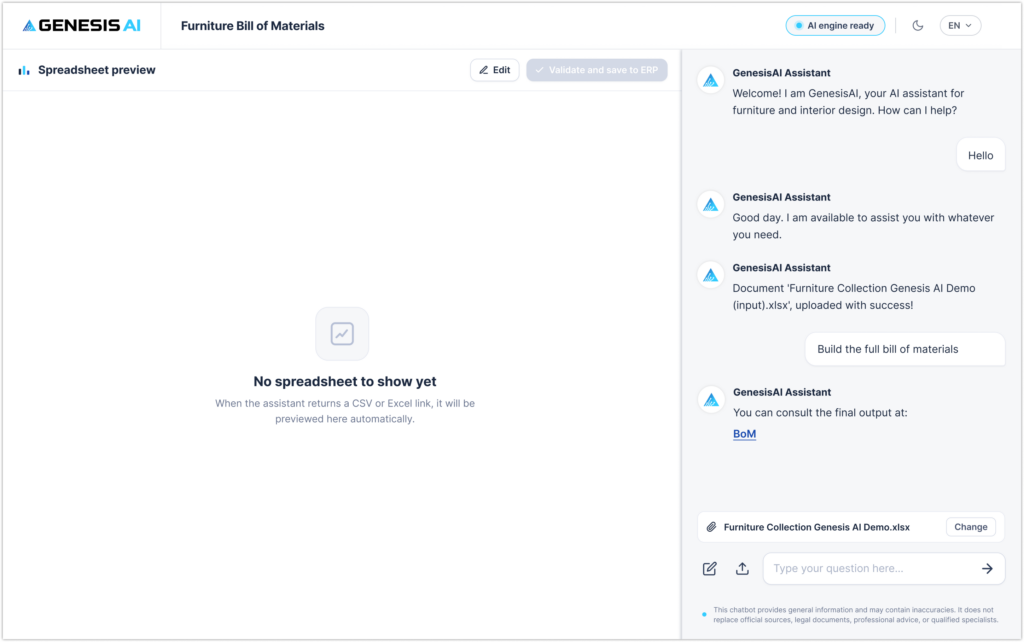
When you launch the agent, you are greeted by a clean, dual-panel workspace. Simply attach your project input file into the chat. The agent acknowledges the upload instantly and prepares to parse your component lists, quantities, and operations.
Step 2: Preview and Edit Live in the Browser
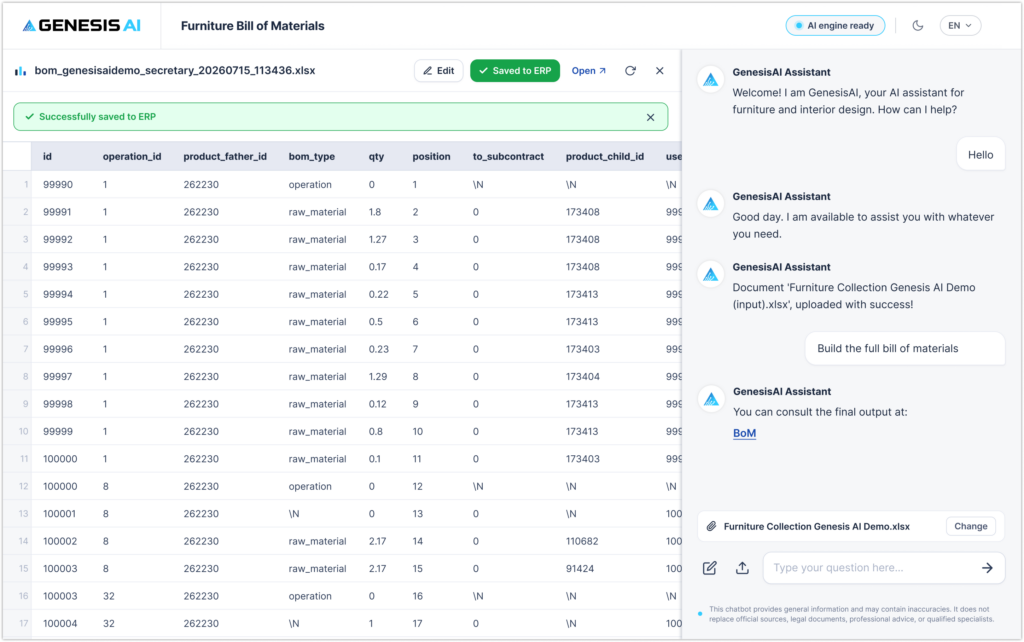
The agent processes the document structure, identifies product relationships (father/child item IDs, operations, raw materials, subcontracting parameters), and returns a direct link to consult the final BoM output.
Step 3: Preview and Edit Live in the Browser
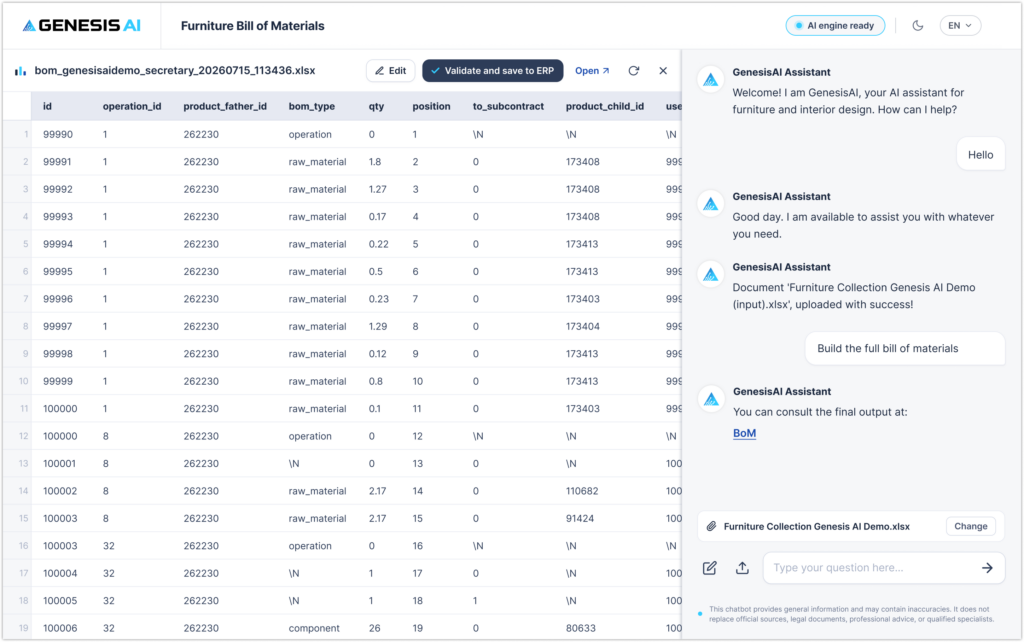
Once generated, the structured spreadsheet appears on your left panel. You get a clear breakdown containing:
operation_id&bom_type(raw materials vs. manufacturing operations)- Quantities (
qty), positions, and child IDs (product_child_id) - Subcontracting indicators (
to_subcontract)
Need to make a quick adjustment? Simply click Edit to alter any cell directly inside the interface before finalizing. Once you review or edit the data, click Validate and save to ERP. Your BoM is instantly validated and synced directly with your enterprise software.
What Makes This Agent So Powerful? (Under the Hood)
While the step-by-step process takes only a few clicks, there is serious intelligence running behind the scenes:
- Natural Language to BoM: The agent doesn’t just copy spreadsheets—it interprets complex specification text, finishes, dimensions, and material names.
- Automated Hierarchy Mapping: It intelligently tags operations, parent-child relationships, and subcontracting tasks required for production.
- ERP-Ready Consistency: Standardizes output fields so your factory floor or procurement system gets clean data every time.
🎁 Try It Live For Free Right Now
Want to see how much time your design, estimation, and production teams can save?
You don’t need to sign up for a long sales process. You can test the Genesis AI Furniture Bill of Materials Agent right now:
- 🚀 Try the Live Interactive Demo: Experience the agent directly in your browser.
- 📁 Download Sample Demo Files: Test the agent using our pre-formatted sample files to see instant results.
👉 TRY THE FREE DEMO NOW
For more information about agent features visit our Genesis AI page.